


Nginx 安装与反向代理配置指南
从零安装 Nginx,配置 virtual host,为 Node.js / PHP-FPM 设置反向代理。性能与安全设置。
KavesNET 团队 2025年10月23日 3 分钟阅读
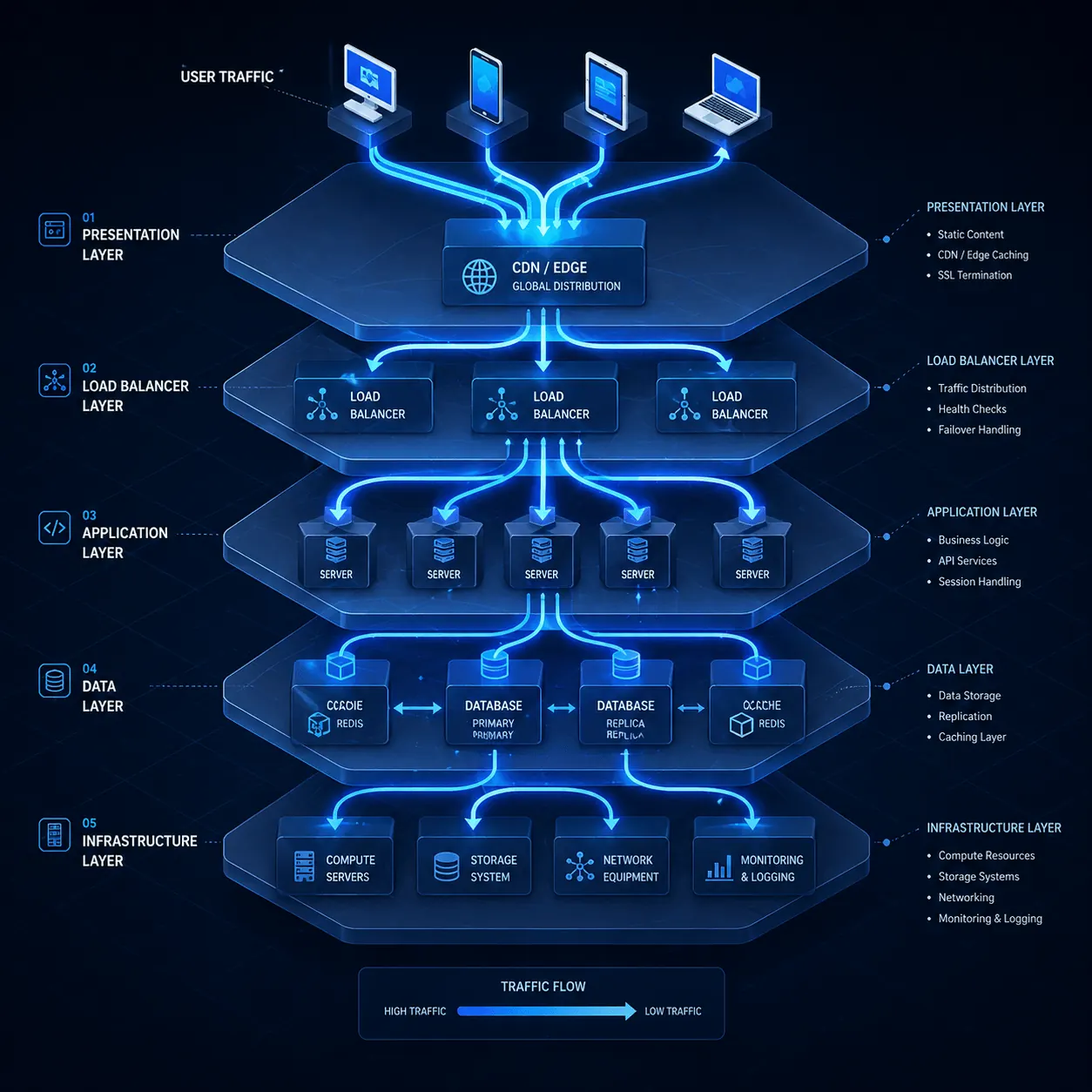
用 Nginx 替代 Apache,或者要在 Node.js / Python / Docker 应用前加反向代理?来对地方了。约 35% 的现代 Web 服务器跑 Nginx——异步架构比 Apache 省得多资源。本文一步步讲安装、vhost 和反向代理。
前置条件
- Ubuntu 22.04 / Debian 12(AlmaLinux 用
dnf) - root 权限
- 端口 80、443 开放(UFW 文章)
1. 安装 Nginx
sudo apt update
sudo apt install nginx -y
sudo systemctl enable --now nginx
sudo systemctl status nginx
浏览器打开 http://vds-ip → 应看到 Nginx 默认页面。
2. 检查 Apache 冲突
若 Apache 已装会冲突 80 端口:
sudo systemctl stop apache2
sudo systemctl disable apache2
或把 Apache 移到 8080(高级)。
3. 第一个 virtual host
sudo nano /etc/nginx/sites-available/你的-站点.comserver {
listen 80;
listen [::]:80;
server_name 你的-站点.com www.你的-站点.com;
root /var/www/你的-站点.com;
index index.html index.php;
location / {
try_files $uri $uri/ =404;
}
# PHP-FPM(WordPress 用)
location ~ \.php$ {
include snippets/fastcgi-php.conf;
fastcgi_pass unix:/var/run/php/php8.3-fpm.sock;
}
# 静态文件长缓存
location ~* \.(jpg|jpeg|png|gif|ico|css|js|woff2)$ {
expires 30d;
add_header Cache-Control "public, no-transform";
}
access_log /var/log/nginx/你的-站点.com_access.log;
error_log /var/log/nginx/你的-站点.com_error.log;
}启用:
sudo ln -s /etc/nginx/sites-available/你的-站点.com /etc/nginx/sites-enabled/
sudo nginx -t
sudo systemctl reload nginx
4. 反向代理:前置于 Node.js / Docker
假设 Node.js 跑在 3000:Nginx 走 80/443:
server {
    listen 80;
    server_name app.你的-站点.com;

    location / {
        proxy_pass http://localhost:3000;
        proxy_http_version 1.1;
        proxy_set_header Upgrade $http_upgrade;
        proxy_set_header Connection 'upgrade';
        proxy_set_header Host $host;
        proxy_set_header X-Real-IP $remote_addr;
        proxy_set_header X-Forwarded-For $proxy_add_x_forwarded_for;
        proxy_set_header X-Forwarded-Proto $scheme;
        proxy_cache_bypass $http_upgrade;
    }
}
优势:
- WebSocket 支持(
proxy_http_version 1.1+ Upgrade header) - SSL 终端(Let’s Encrypt 在 Nginx 上,app 保持 HTTP)
- 静态由 Nginx 服务(不让 Node.js 累着)
5. 加 SSL
sudo apt install certbot python3-certbot-nginx -y
sudo certbot --nginx -d 你的-站点.com -d www.你的-站点.com
详见 Let’s Encrypt 文章。
6. 性能调优
/etc/nginx/nginx.conf:
worker_processes auto;
worker_connections 4096;

client_body_buffer_size 10K;
client_max_body_size 50m;
large_client_header_buffers 4 8k;

gzip on;
gzip_comp_level 6;
gzip_types text/plain text/css text/xml application/json application/javascript application/xml+rss image/svg+xml;

listen 443 ssl http2;
sudo nginx -t && sudo systemctl reload nginx7. 安全头
add_header X-Frame-Options "SAMEORIGIN" always;
add_header X-Content-Type-Options "nosniff" always;
add_header X-XSS-Protection "1; mode=block" always;
add_header Strict-Transport-Security "max-age=31536000; includeSubDomains" always;
add_header Referrer-Policy "strict-origin-when-cross-origin" always;测试:https://securityheaders.com/
8. 限速(DDoS 防护)
# nginx.conf 的 http 块
limit_req_zone $binary_remote_addr zone=mylimit:10m rate=10r/s;

# server 块
location /api/ {
    limit_req zone=mylimit burst=20 nodelay;
    proxy_pass http://localhost:3000;
}
DDoS 详情见 DDoS 文章。
9. 日志管理
sudo tail -f /var/log/nginx/你的-站点.com_access.log
sudo awk '{print $1}' /var/log/nginx/access.log | sort | uniq -c | sort -rn | head -20
sudo grep " 404 " /var/log/nginx/access.log | tail -20
Nginx 的 logrotate 已配置。
常见错误
- “bind() to 0.0.0.0:80 failed”:Apache 在跑 → 停掉
- “502 Bad Gateway”:反代后端挂了 →
systemctl status node-app - “413 Request Entity Too Large”:增大
client_max_body_size - “504 Gateway Timeout”:加
proxy_read_timeout 300s; - PHP 不工作:PHP-FPM 装了运行了吗?
sudo systemctl status php8.3-fpm
Nginx vs Apache 对比
| Nginx | Apache | |
|---|---|---|
| 架构 | 异步、事件驱动 | 进程式 |
| 资源 | 更省 RAM/CPU | 更耗 |
| 静态文件 | 极快 | 快 |
| .htaccess | ❌ 不支持 | ✓ |
| 反向代理 | 原生 | 通过 mod_proxy |
WordPress 两者都行;高流量下 Nginx 更高效。
结论
Nginx 是现代 Web 栈基石。一台 VDS 上多站点 + 反代 + SSL 终端。KavesNET VDS 针对 Nginx 优化。
标签 Nginx 反向代理 Linux 教程
相关 文章
您可能也喜欢这些。

2026年8月7日 KavesNET 团队
什么是 NVMe SSD?它对服务器性能的影响(对比 SATA SSD)
什么是 NVMe?它与 SATA SSD 有何区别?用 IOPS、延迟与真实数据说明 NVMe 为何已成为服务器标准。
阅读更多
2026年7月31日 KavesNET 团队
什么是独立服务器(Dedicated Server)?谁真正需要它?
什么是独立服务器?它与 VDS 有何区别、何时必须使用?优势、成本与服务器托管(co-location)替代方案,尽在本指南。
阅读更多
2026年7月24日 KavesNET 团队
VDS 租用指南:下单前必查的 10 项标准
从 CPU 型号到磁盘类型,从 DDoS 防护到备份——租用 VDS 前必须核实的 10 项标准,逐条讲解。别选错套餐。
阅读更多